School Management Software | School Management System – MyClassboard Knowledge Base logo
MENUMENU
  • Knowledge Base
    • Organisation
    • Admissions
    • Academics
    • Communication
    • Mobile Apps
    • Gradebook
    • Certificates
    • Finance
    • Transport
    • HR
    • Library
    • Inventory
    • Hostel
    • School Store
    • Concerns
    • Online Exam
    • Academics Plus
    • HR Plus
    • Dynamic Forms
    • Communication Plus
    • Visitor Management
    • Online Classes
  • Product Updates
  • Glossary
  • Blog
  • Log in

Category: Vendor_Details

How to map created items to vendors?

July 20, 2018August 28, 2018 mcbhelp Vendor_Details

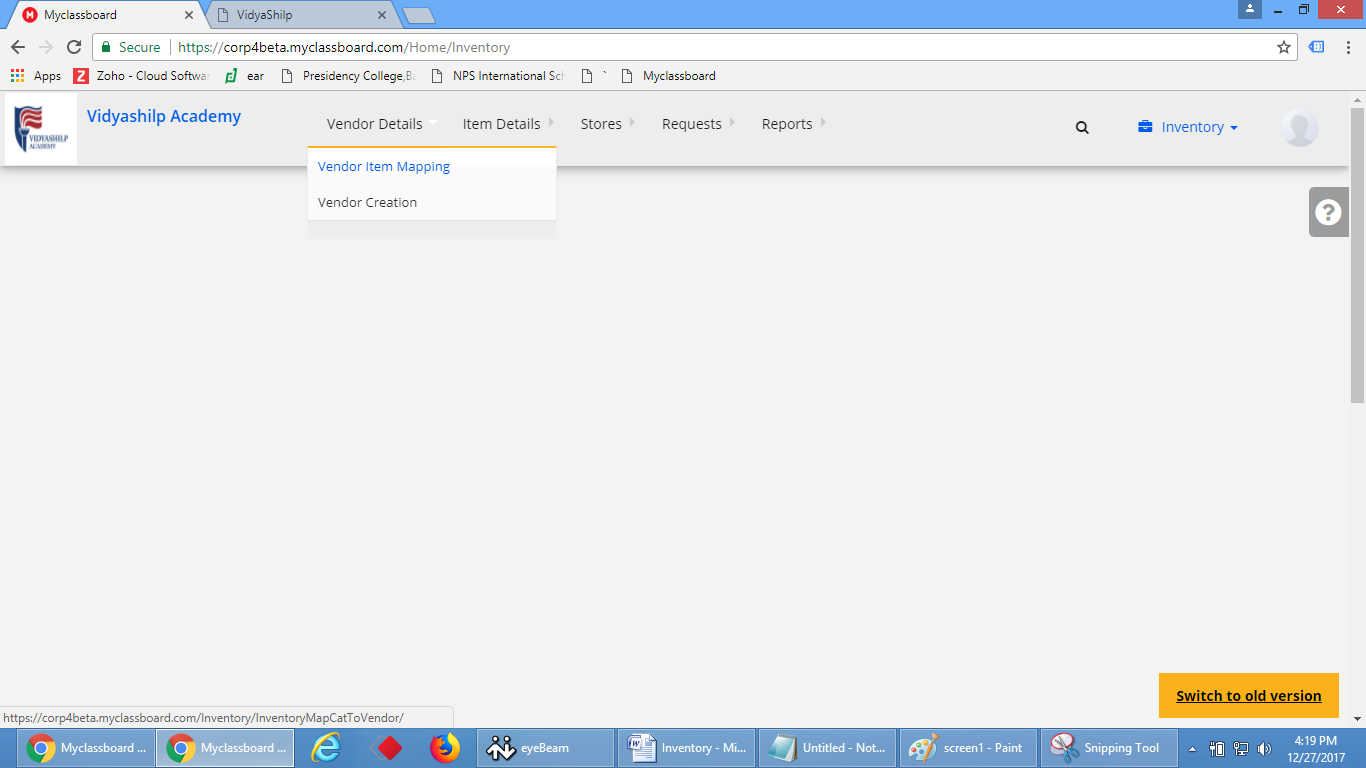
Step 1: After creating the items needs to be the map with the appropriate vendors, to map with vendor login with the system admin access–>under details click vendor item mapping.
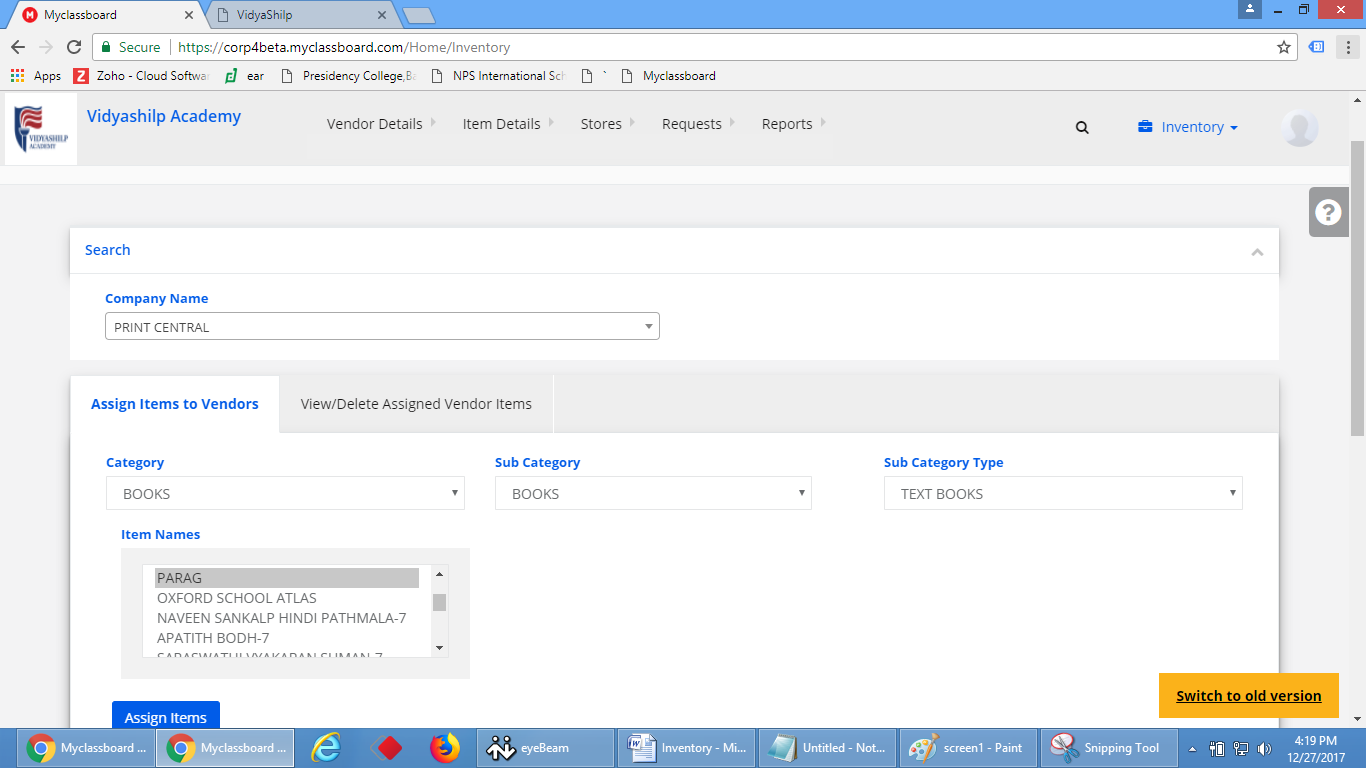
Step 2: Select the required vendor name, whichever item needs to link with the vendor select those from the list click on assign.
How to create vendors?

July 20, 2018August 28, 2018 mcbhelp Vendor_Details

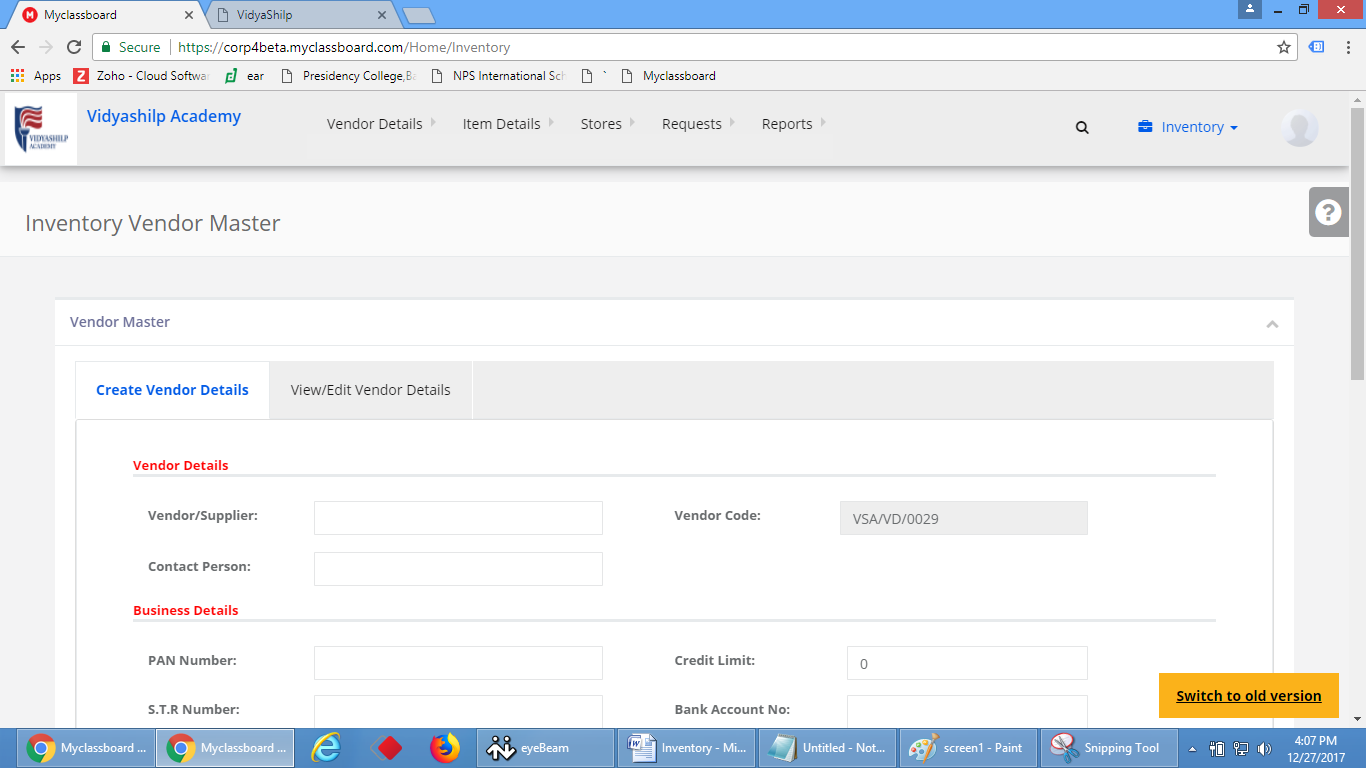
Step 1: To create vendor follow the below steps

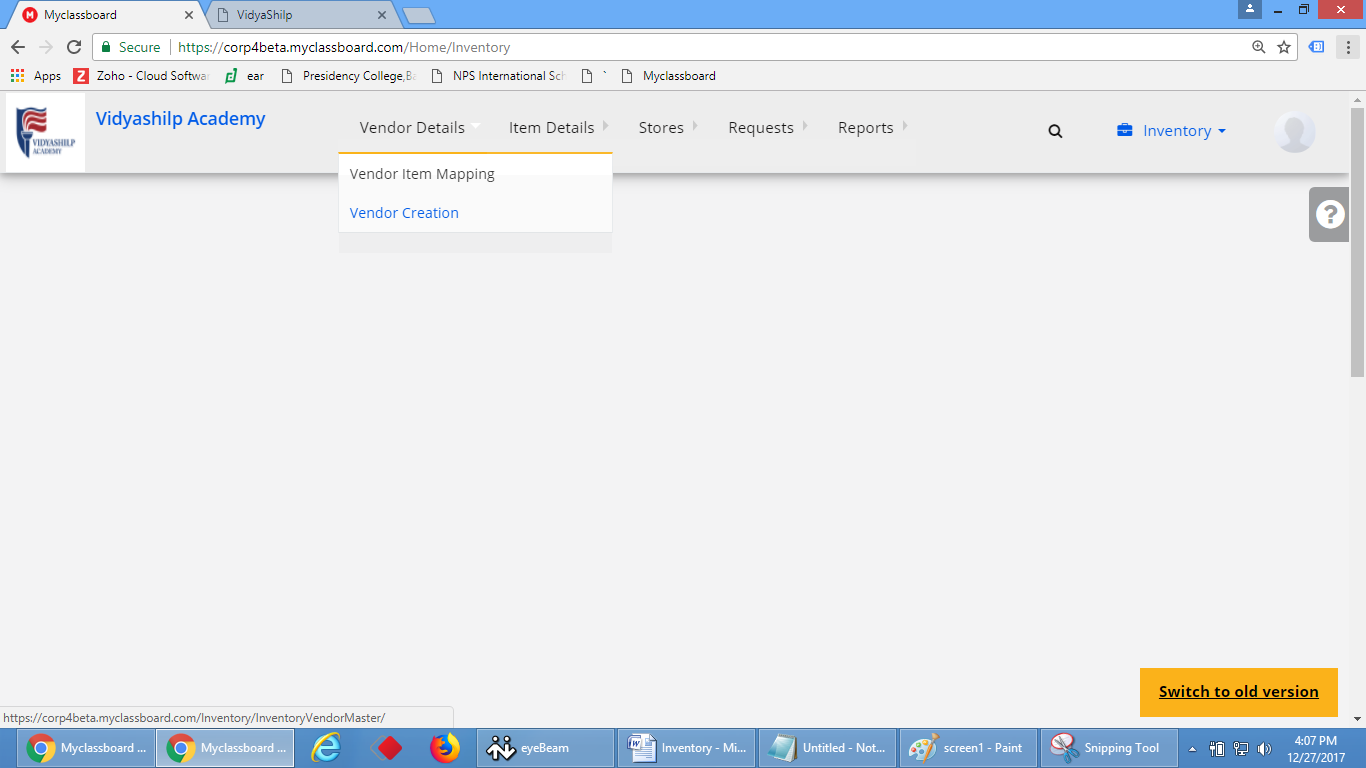
Step 2: In system admin access go to inventory–>under vendor details–>click on vendor creation

Step 3: Give the required information such as vendor, contact person etc., and click on save vendor will be created

Categories

  • Academic_Reports
  • Academics plus
  • Academics_faqs
  • Academics_Plus_Academics
  • Admission_Reports
  • Admission_settings_faqs
  • Analysis
  • Approvals
  • Attendance
  • Audit_Reports
  • Biometric_Attendance
  • Certificates
  • Collection_Reports
  • Collections
  • Communication_Alerts
  • Communication_Faqs
  • Communication_Reports
  • Communication-Plus_Reports
  • Concerns
  • Concerns_Reports
  • Data_Related_Forms
  • Discussions
  • Due_Reports
  • Emails
  • Enrollments
  • Fee_Management
  • Finance_Settings
  • Forms
  • Front_Office
  • Gradebook
  • Gradebook_Faqs
  • Gradebook_Reports
  • HR_Reports
  • HR-plus-Faqs
  • HRPlus_Reports
  • Inventory_Reports
  • Item_Details
  • KYA
  • Leads
  • Learning
  • Library_Reports
  • Library_Settings
  • Mess_Menu
  • Mobile Apps
  • Notifications
  • Online_Exam
  • Online-Classes
  • Online-Classes-Reports
  • OnlineExam_Reports
  • Organization_FAQs
  • Other_Exams
  • Others(Communication)
  • Payroll
  • Phonebook
  • Preadmission_Exam
  • Question_Bank
  • Settings_Gradebook
  • SMS
  • Staff_Assessement
  • Staff_Attendance
  • Staff_Details
  • Staff_Leaves
  • Staff_Recruitement
  • Stores
  • Subjects and Notes
  • Timetable
  • Transport
  • Transport_Reports
  • Uncategorized
  • User Management
  • User_Manual
  • Vendor_Details
  • Visitor_Management
  • Voice_SMS
Copyright © 2026 by School Management Software | School Management System - MyClassboard Knowledge Base.
  • Myclassboard facebook
  • Myclassboard twitter
  • Myclassboard Linked in
  • Myclassboard youtube