Step 1: Login to MCB with Accountant login credentials.
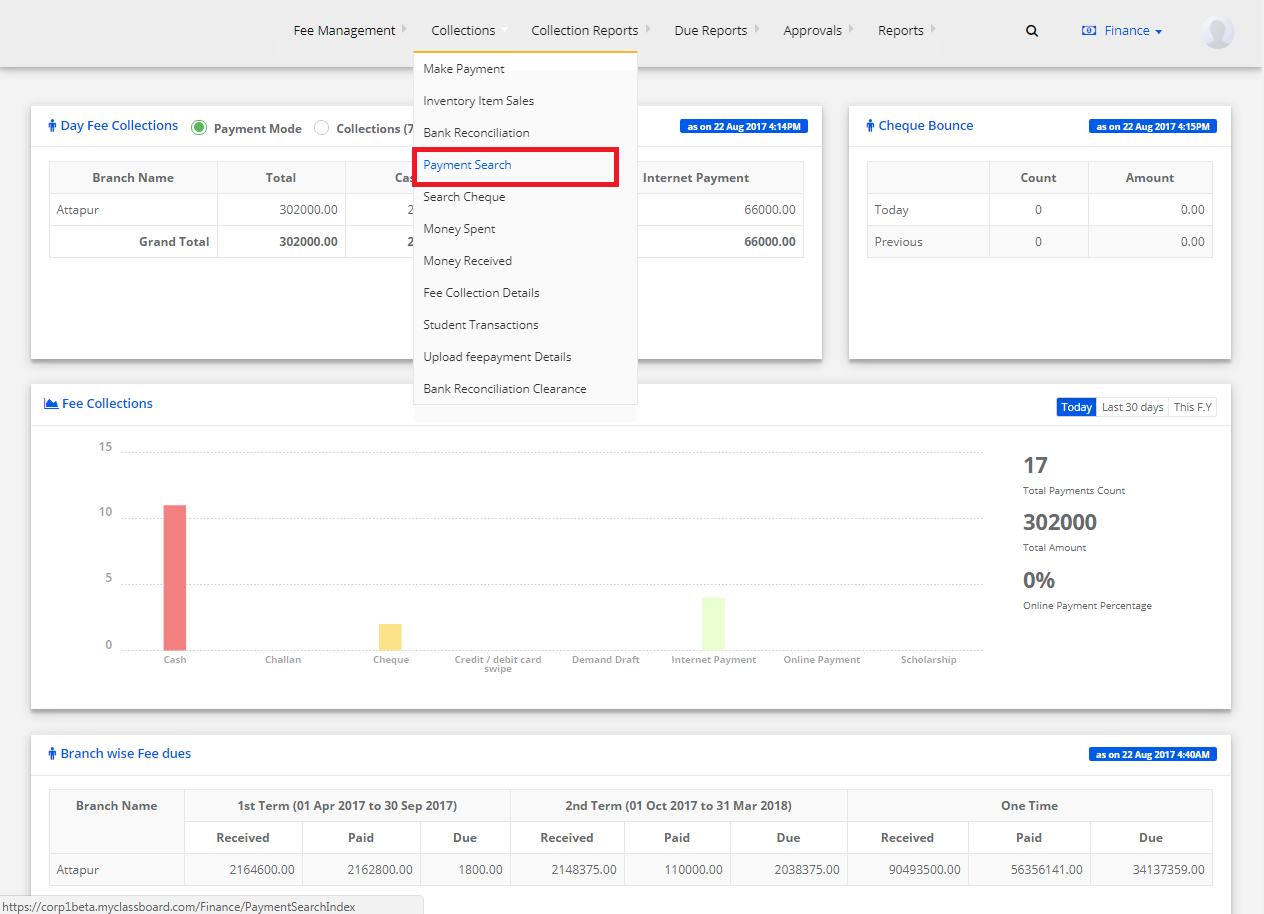
Step 2: Select “Collections” on the top bar and choose “Payment Search”.
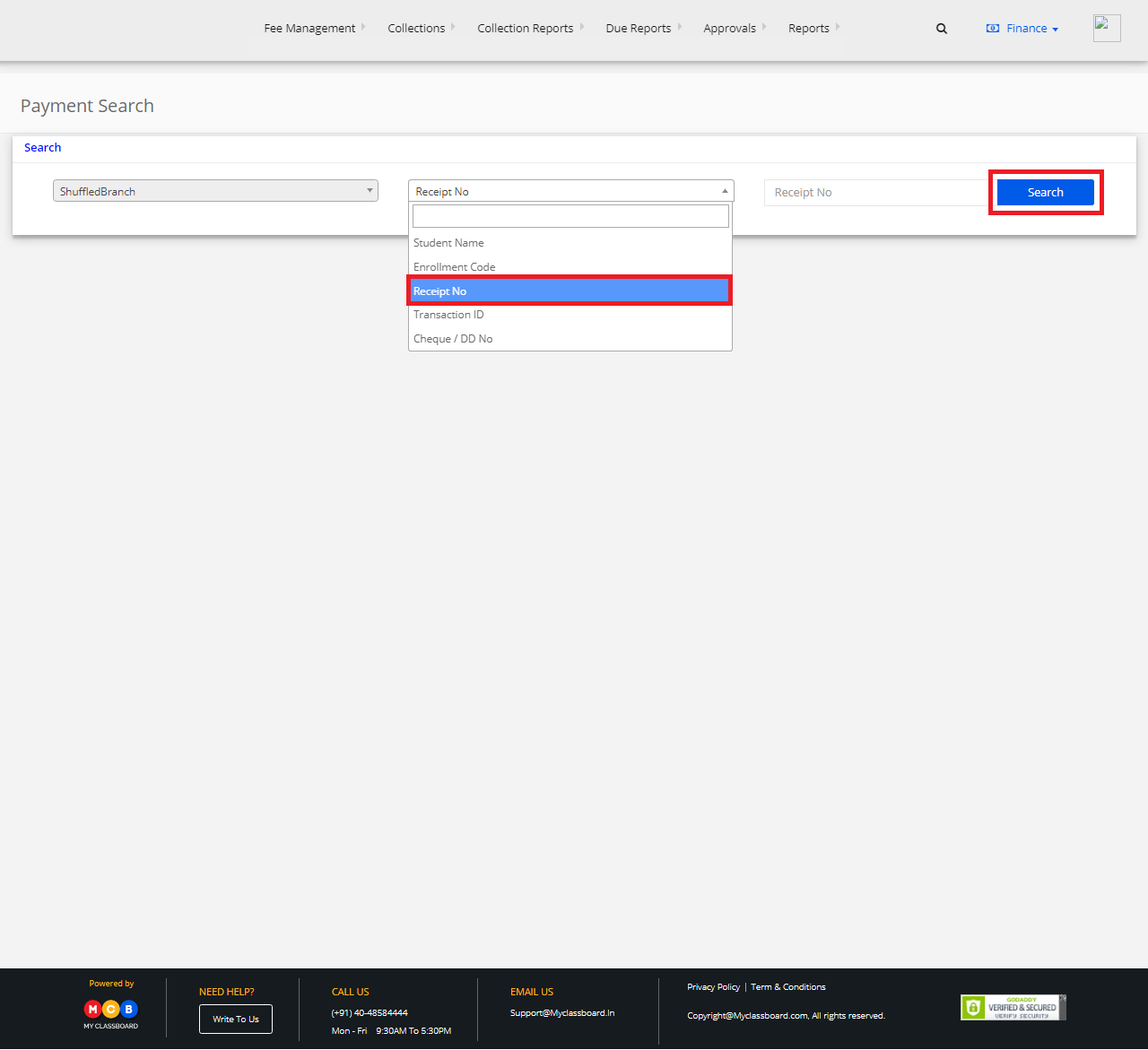
Step 3: Select Branch. In the drop-down choose receipt number and enter the receipt number. After entering, click on search.
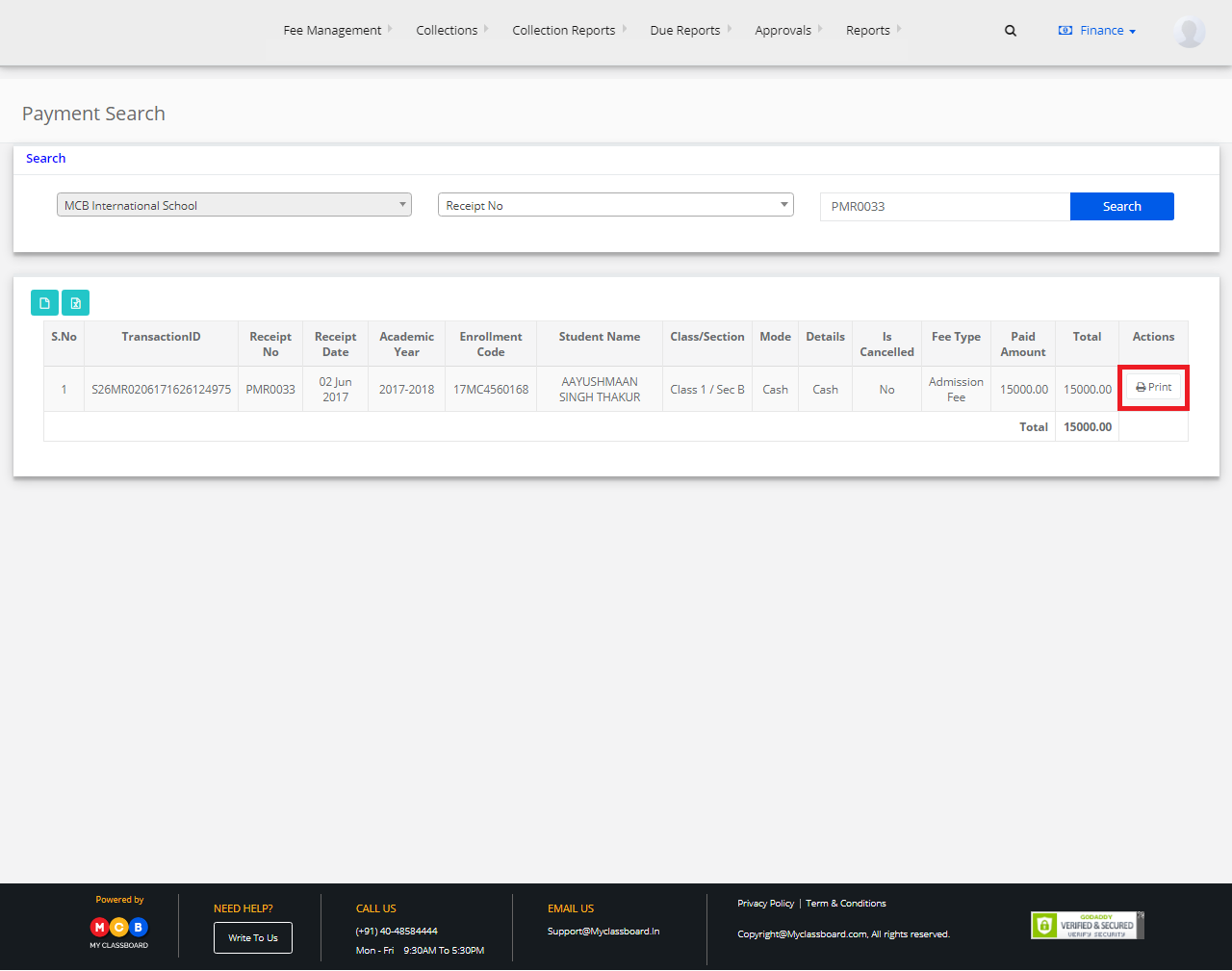
Step 4: The receipt and the transaction details related to that receipt number are displayed. You may print the receipt by clicking on the print option.