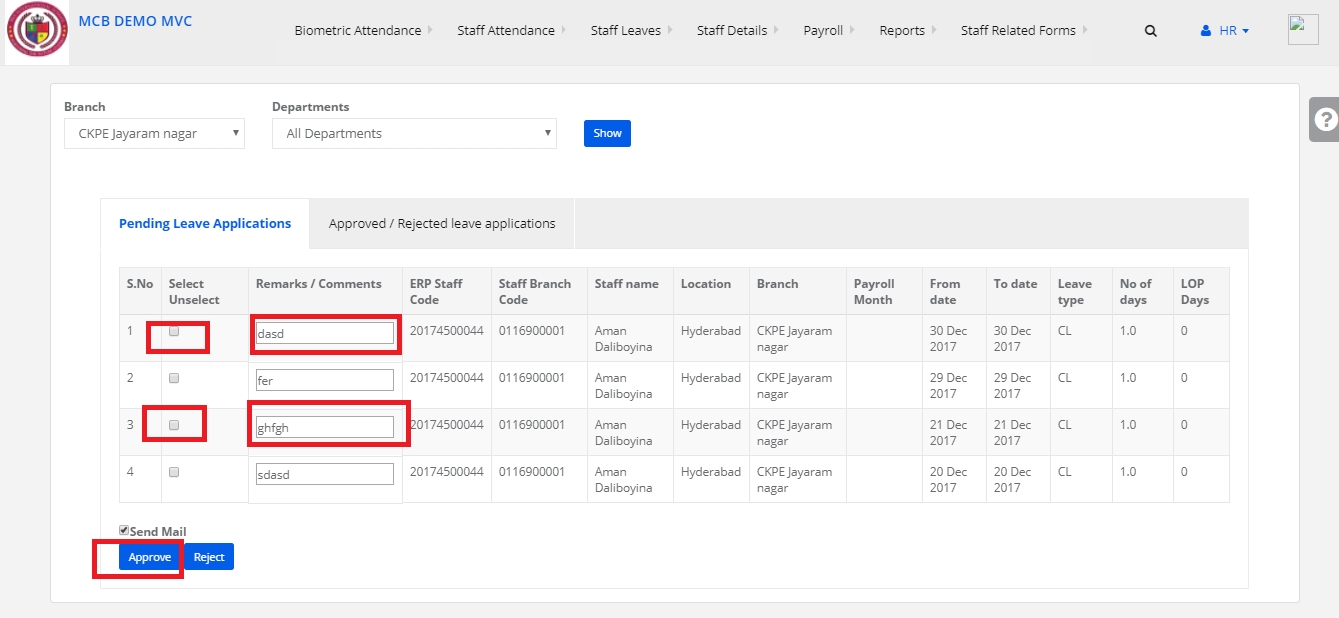
Step 1:
Login to MCB with System admin level logins.
Step 2:
Click on HR
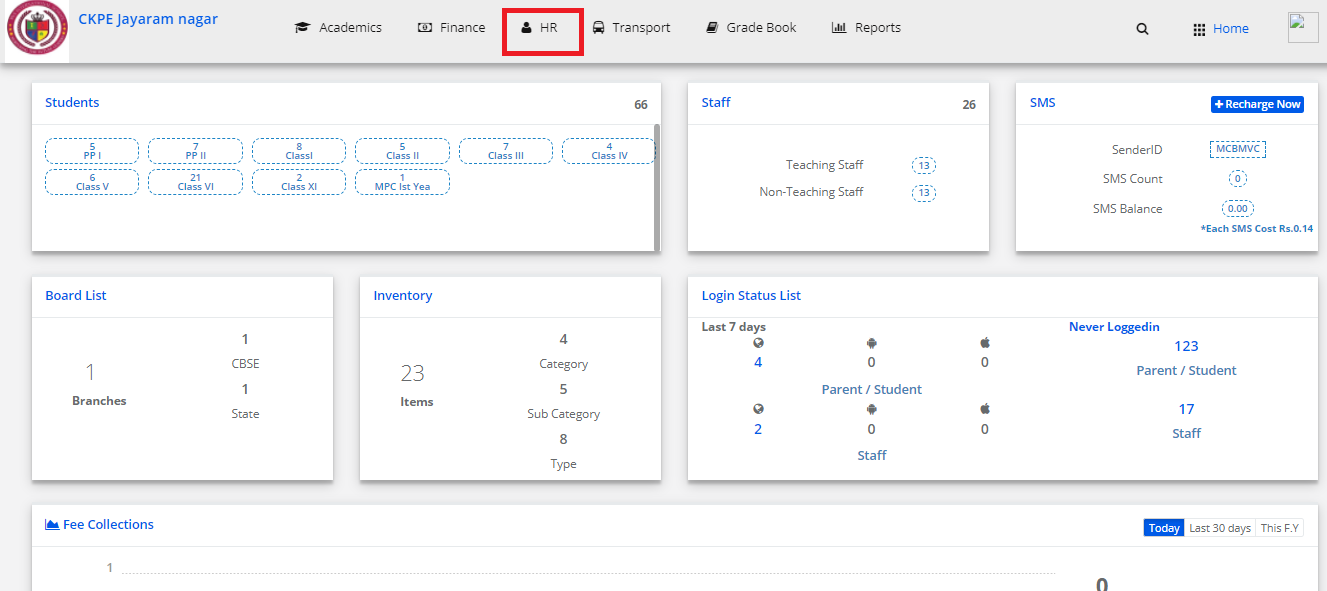
Step 3:
Click on Staff Leaves select Approve Leaves
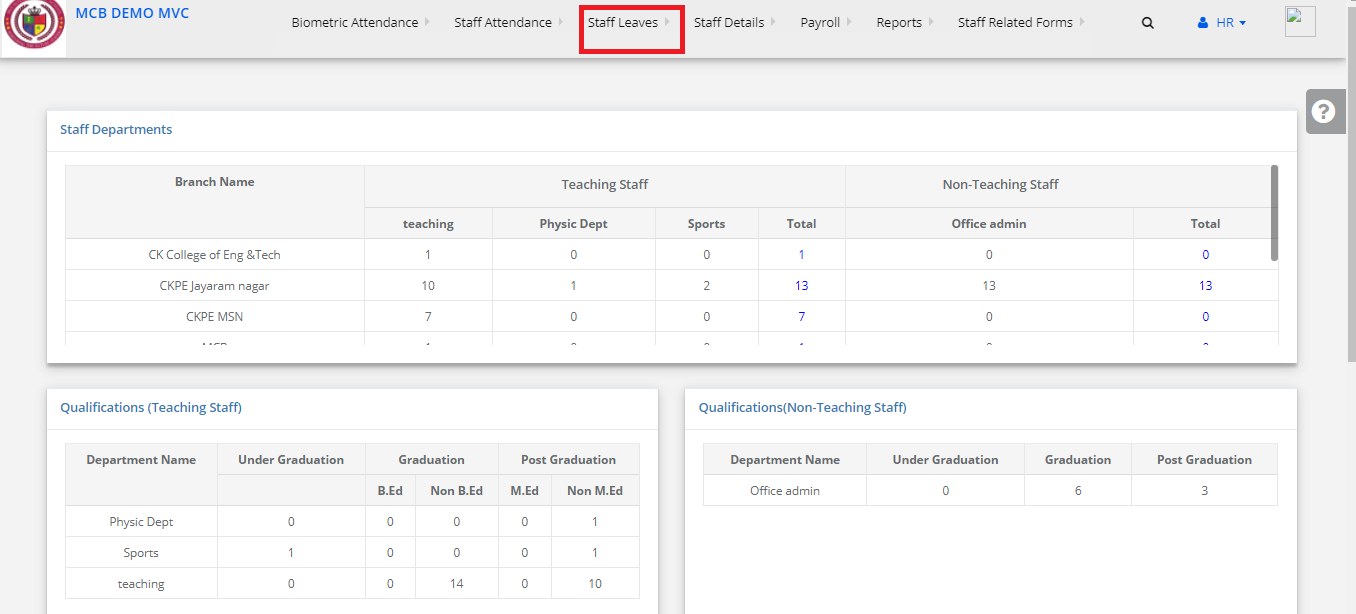
Step 4:
Select branch and Department Click on show Button
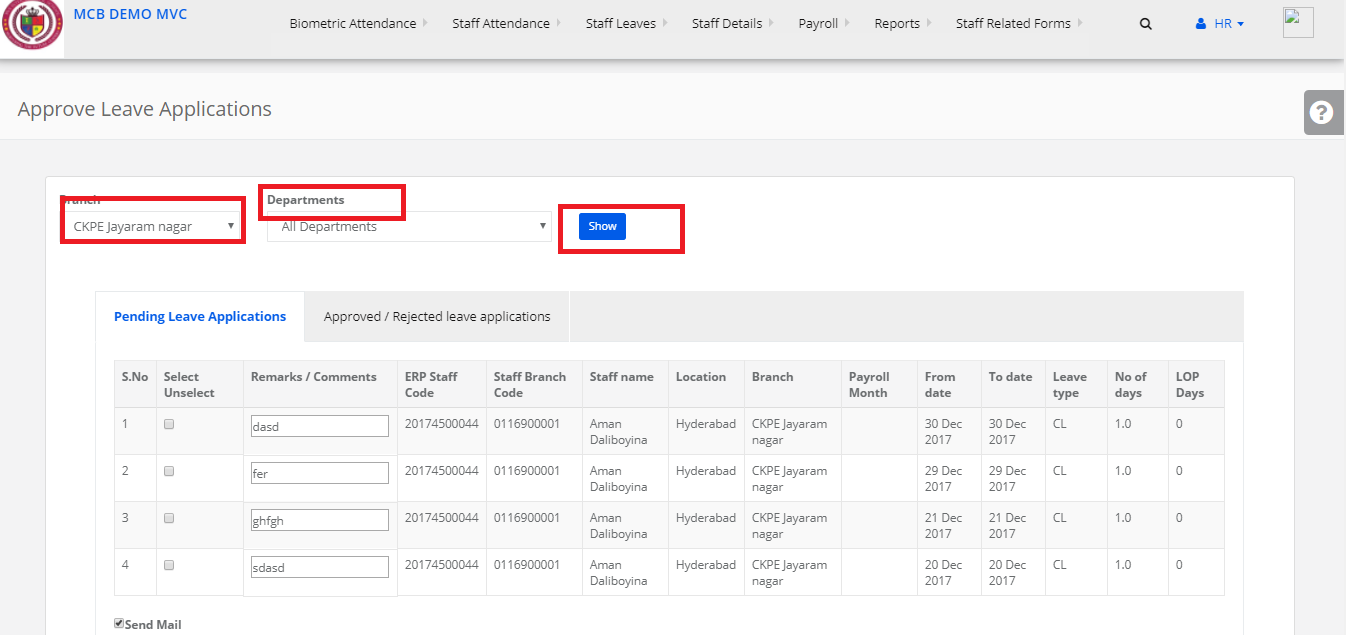
Step 5:
Select the particular staff and give remarks and approve it